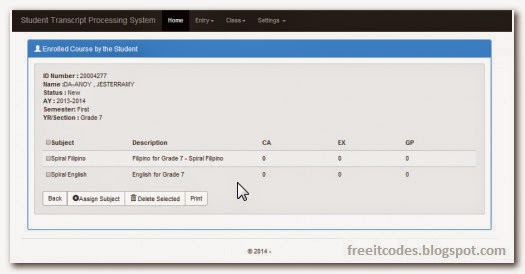
In this tutorial you will be able to know how to make User Registration and login System in Codeigniter .
System Requirement to run CI:
Xampp server or Wamp server .
Any Browser Google chrome,Firefox,Opera,Safari.. etc.
Php editor you can use Dreameaver,Notepad,Wordpad if you are using mac you can use textmate, or other compatible with your computer,for me i recommend Dreamweaver to easily fix the error if they have.

This is the simple way to run this program.
First Download the files .
Next Extract the zip files to htdoc this is the path of htdocs(C://xampp/htdocs)
Now go to localhost/phpmyadmin and click TAB import->browse the sql file sql file attached with the folder and Click Go
Now go to your browser and follow this path(localhost/foldername/filename.php)
Note:Make sure that you complete requirements above.
System Requirement to run CI:
Xampp server or Wamp server .
Any Browser Google chrome,Firefox,Opera,Safari.. etc.
Php editor you can use Dreameaver,Notepad,Wordpad if you are using mac you can use textmate, or other compatible with your computer,for me i recommend Dreamweaver to easily fix the error if they have.
This is the simple way to run this program.
First Download the files .
Next Extract the zip files to htdoc this is the path of htdocs(C://xampp/htdocs)
Now go to localhost/phpmyadmin and click TAB import->browse the sql file sql file attached with the folder and Click Go
Now go to your browser and follow this path(localhost/foldername/filename.php)
Note:Make sure that you complete requirements above.
Posted on 17:57 / 1
comments / Read More